GE Microwave Error Code F3: Meaning and Fix

Reading the microwave display
On a microwave the code replaces the clock on the display. Unplug the unit for a minute to see if it clears, and note the code before you do. GE writes letters and numbers together with no space, so E22 is one code, not E2 and 2.
GE Appliances, now owned by Haier, mixes legacy GE boards with newer connected platforms. Washers and dryers tend to use E or D codes, ranges and microwaves use F codes, and refrigerators show Er codes. The codes apply to model numbers such as GDF630PSMSS, GDT665SSNSS and GTD65EBSJ0WS; check the label on your unit to confirm yours.
What causes F3
- Stuck touch pad
- Failed key panel
- Moisture
How to fix it
- Unplug the microwave and clean around the keys.
- Wait and try again.
- Replace the key panel (touch pad) if it persists.
- Run a short test cycle to confirm the code does not come back.
Parts you may need
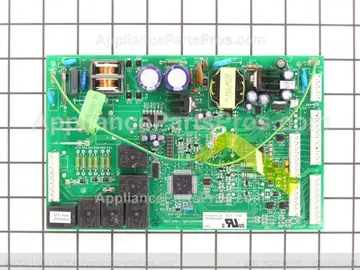
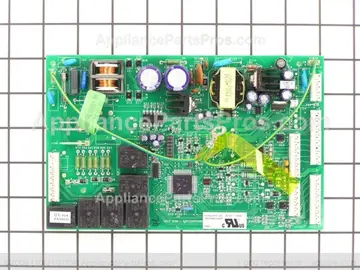
| Part | Part no. | Buy |
|---|---|---|
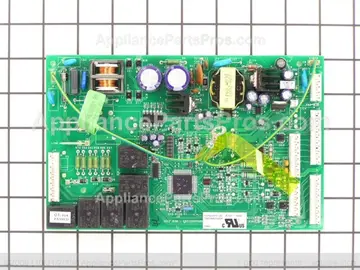
| Main control board | WR55X10560 | Find part |
Part numbers are OEM references; confirm fit by your model number before ordering. Some links are affiliate links; we may earn a commission at no extra cost to you.
Questions
What does the F3 code mean on a GE microwave?
A shorted key panel was detected for more than 60 seconds.
Can I fix the F3 code myself?
Start with the free checks (power reset, connectors, obvious blockages). The likely repair involves the main control board and live-circuit testing, so if the code returns, a qualified technician is the safer call.
How do I clear the F3 code?
Unplug the microwave for five minutes, plug it back in and press Clear. If F3 comes back, the underlying fault is still there; start with this: stuck touch pad.
Other GE microwave codes
Sources
Part numbers are OEM references; confirm fit by your model number before ordering. Meanings compiled from manufacturer and parts-retailer documentation; see sources below. Unplug the appliance before opening it.
Applies to models including JVM3160RFSS, PVM9179SKSS, JES1460DSWW.