LG Microwave Error Code F-3: Meaning and Fix

Also shown as: F3
Reading the microwave display
On a microwave the code replaces the clock on the display. Unplug the unit for a minute to see if it clears, and note the code before you do. LG codes are short letter pairs; a capital O differs from a zero.
LG appliances show short alphabetic codes (OE, IE, UE on washers, Er plus letters on refrigerators) and, on ThinQ models, a Smart Diagnosis option. LG also builds many Kenmore Elite units. The codes apply to model numbers such as LDF7774ST, LDT5678SS and DLEX3900B; check the label on your unit to confirm yours.
What causes F-3
- Grease, food film or moisture on the touch panel
- Panel overlay damaged or lifting
- Loose ribbon cable behind the panel
- Failed control board
How to fix it
- Unplug the microwave and wipe the whole touch panel with a soft damp cloth, then dry it completely.
- Remove anything resting against the panel, such as stickers or magnets.
- Plug the microwave back in after two to three minutes and see whether F-3 clears.
- Try a one-minute run with a cup of water to confirm the keys respond.
- If F-3 persists, request service; the panel or board needs replacing.
Parts you may need
| Part | Part no. | Buy |
|---|---|---|
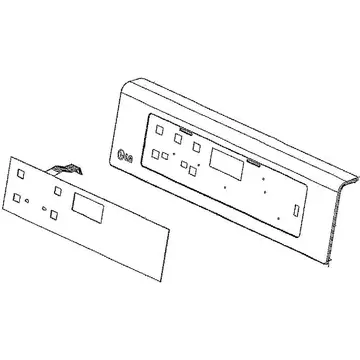
| Touch control panel | AGM73551606 | Find part |
Part numbers are OEM references; confirm fit by your model number before ordering. Some links are affiliate links; we may earn a commission at no extra cost to you.
Questions
What does F-3 mean on an LG microwave?
LG describes F-3 as a touch panel error, often from foreign substances near the keys.
Can I fix F-3 myself?
Cleaning and resetting is safe to try. Opening the control panel is a technician job because of the high-voltage parts.
Why does F-3 return?
Moisture or a failing panel overlay can keep re-triggering the fault.
Other LG microwave codes
Sources
Part numbers are OEM references; confirm fit by your model number before ordering. Meanings compiled from manufacturer and parts-retailer documentation; see sources below. Unplug the appliance before opening it.
Applies to models including LMC1575ST, LMV1680ST, MSER0990S, MH1536GIS, LMV2057ST.