Genie Opener Error Code Red LED 1 blink: Meaning and Fix

Also shown as: Old Genie red 1 blink, Red blinks once
Reading the opener display
A garage door opener reports faults through blinking LEDs on the motor head, a diagnostic window on the logic board, or the wall control. Count the flashes slowly and repeat the count before you decide what you saw. Genie counts blinks on its LEDs; the number of blinks, not their speed, identifies the fault.
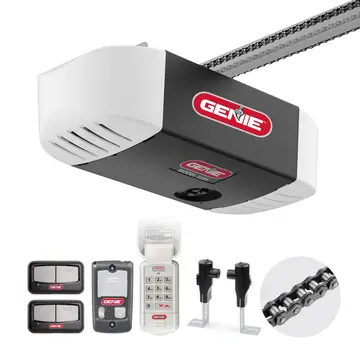
Genie, from The Overhead Door Corporation, signals faults by blinking LEDs on the motor head and by wall-console diagnostics. Genie blink counts differ from LiftMaster, so do not use a LiftMaster chart for a Genie opener. The codes apply to model numbers such as H8000 and ISD990; check the label on your unit to confirm yours.
What causes Red LED 1 blink
- No remote programmed
- Weak battery
- Memory cleared
- Wrong remote type
How to fix it
- Press the learn button per manual.
- Press the remote button.
- Replace the battery.
- Retest.
Parts you may need
| Part | Part no. | Buy |
|---|---|---|
| 3-button remote | 41537T | Find part |
Part numbers are OEM references; confirm fit by your model number before ordering. Some links are affiliate links; we may earn a commission at no extra cost to you.
Questions
Why one red blink?
No remote is learned.
How to program?
Use the learn button.
Battery?
Replace if weak.
Other Genie opener codes
Sources
Part numbers are OEM references; confirm fit by your model number before ordering. Meanings compiled from manufacturer and parts-retailer documentation; see sources below. Unplug the appliance before opening it.
Applies to models including H8000, ISD990, ISD995, ISD1000, PRO99, CMD9900, 1022, 1024.