Samsung Dishwasher Error Code OC: Meaning and Fix

Also shown as: 0C, oE
Reading the dishwasher display
A dishwasher reports its fault in the display window, or by blinking a cycle light a set number of times with a pause between groups. Count the blinks and pauses before opening the door. Samsung codes combine a digit with a letter, and some alternate with the cycle time.
Samsung displays numeric-plus-letter codes such as 4C, 5E or 21E, and many models run a Smart Care self-check through the app. Washers and dryers often use letter pairs, refrigerators use number plus E. The codes apply to model numbers such as DW80R5061US, DW80K7050US and DV45T6000EW; check the label on your unit to confirm yours.
What causes OC
- Clogged or kinked drain hose
- Dirty filter or sump
- Sink drain or air gap blocked
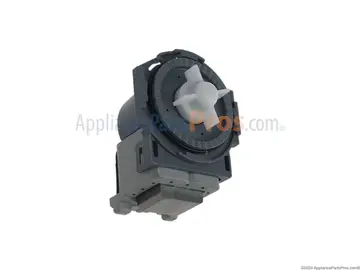
- Failed drain pump
How to fix it
- Inspect the drain connection at the sink.
- Check the drain hose for kinks.
- Run the sink and see whether the water backs up.
- Clean the drain, filter and sump in the tub.
- Replace the drain pump if everything else is clear.
Parts you may need
| Part | Part no. | Buy |
|---|---|---|
| Dishwasher Drain Pump | DD31-00005A | Find part |
Part numbers are OEM references; confirm fit by your model number before ordering. Some links are affiliate links; we may earn a commission at no extra cost to you.
Questions
Is OC a flood?
It means excess water, not necessarily a leak.
What causes it most?
A drain restriction.
Is OC the same as 5C?
Related: both come from poor draining.
Other Samsung dishwasher codes
Sources
Part numbers are OEM references; confirm fit by your model number before ordering. Meanings compiled from manufacturer and parts-retailer documentation; see sources below. Unplug the appliance before opening it.
Applies to models including DW80R5061US, DW80K7050US, DW80J3020US, DW80N3030US, DW80R9950US.