Samsung Dryer Error Code 9C1: Meaning and Fix

Also shown as: 9E, 2E, 9E1, 9C2
Reading the dryer display
On a dryer the code shows in the time-remaining window or as blinking status lights. Write down the characters before you press anything, because starting a new cycle usually clears the display. Samsung codes combine a digit with a letter, and some alternate with the cycle time.
Samsung displays numeric-plus-letter codes such as 4C, 5E or 21E, and many models run a Smart Care self-check through the app. Washers and dryers often use letter pairs, refrigerators use number plus E. The codes apply to model numbers such as DW80R5061US, DW80K7050US and DV45T6000EW; check the label on your unit to confirm yours.
What causes 9C1
- Extension cord or shared circuit
- Model used outside the country it was sold for
- Stacked washer/dryer control timing quirk
- Low or high line voltage
- Improperly installed power cord on an electric dryer
How to fix it
- Confirm the dryer is on its own circuit and not on an extension cord.
- Check the power cord connection at the terminal block and the wall outlet.
- Verify the outlet voltage with a meter.
- Unplug the dryer for a minute and restart.
- If you use a stacking control kit, update the firmware through SmartThings.
Parts you may need
| Part | Part no. | Buy |
|---|---|---|
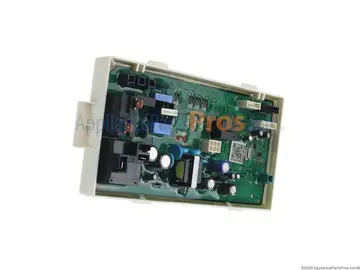
| Dryer Main Control Board | DC92-01626A | Find part |
Part numbers are OEM references; confirm fit by your model number before ordering. Some links are affiliate links; we may earn a commission at no extra cost to you.
Questions
Can a stacked washer cause 9C1?
Yes. Using dryer controls within five seconds of turning on a stacked washer can report it; a software update corrects this.
Is the dryer damaged?
Not usually; fix the supply first.
Do I need an electrician?
For voltage problems at the outlet, yes.
Other Samsung dryer codes
Sources
Part numbers are OEM references; confirm fit by your model number before ordering. Meanings compiled from manufacturer and parts-retailer documentation; see sources below. Unplug the appliance before opening it.
Applies to models including DV45T6000EW, DV45H7000EW, DV42H5000EW, DVE45R6100W, DVG45R6100W, DV50K8600EV.