Samsung Dryer Error Code dn: Meaning and Fix

Reading the dryer display
On a dryer the code shows in the time-remaining window or as blinking status lights. Write down the characters before you press anything, because starting a new cycle usually clears the display. Samsung codes combine a digit with a letter, and some alternate with the cycle time.
Samsung displays numeric-plus-letter codes such as 4C, 5E or 21E, and many models run a Smart Care self-check through the app. Washers and dryers often use letter pairs, refrigerators use number plus E. The codes apply to model numbers such as DW80R5061US, DW80K7050US and DV45T6000EW; check the label on your unit to confirm yours.
What causes dn
- Automatic SmartThings update
- Update triggered after joining Wi-Fi
- Update resuming after a power return
How to fix it
- Leave the dryer plugged in and powered on.
- Do not press buttons or open the door.
- Wait until the display returns to normal; it restarts itself.
- If it hangs for hours, check the Wi-Fi connection and contact Samsung support through self-service channels.
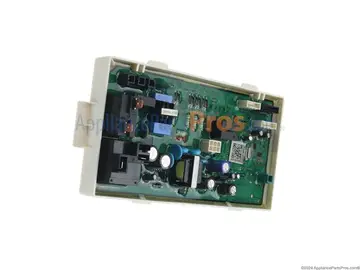
Parts you may need
| Part | Part no. | Buy |
|---|---|---|
| Dryer Main Control Board | DC92-01626A | Find part |
Part numbers are OEM references; confirm fit by your model number before ordering. Some links are affiliate links; we may earn a commission at no extra cost to you.
Questions
Can I unplug the dryer during dn?
No. Doing so may corrupt the firmware and require service.
How long does it last?
It depends on file size and connection speed.
Will it restart?
Yes, automatically when installation finishes.
Other Samsung dryer codes
Sources
Part numbers are OEM references; confirm fit by your model number before ordering. Meanings compiled from manufacturer and parts-retailer documentation; see sources below. Unplug the appliance before opening it.
Applies to models including DV45T6000EW, DV45H7000EW, DV42H5000EW, DVE45R6100W, DVG45R6100W, DV50K8600EV.